Not sure where to start? Go to the tool to try it out with a sample schema.
Open EditorFree, no sign-up required.
 VibeSchema
 Visualize or prototype your database schemas painlessly.
Open Editor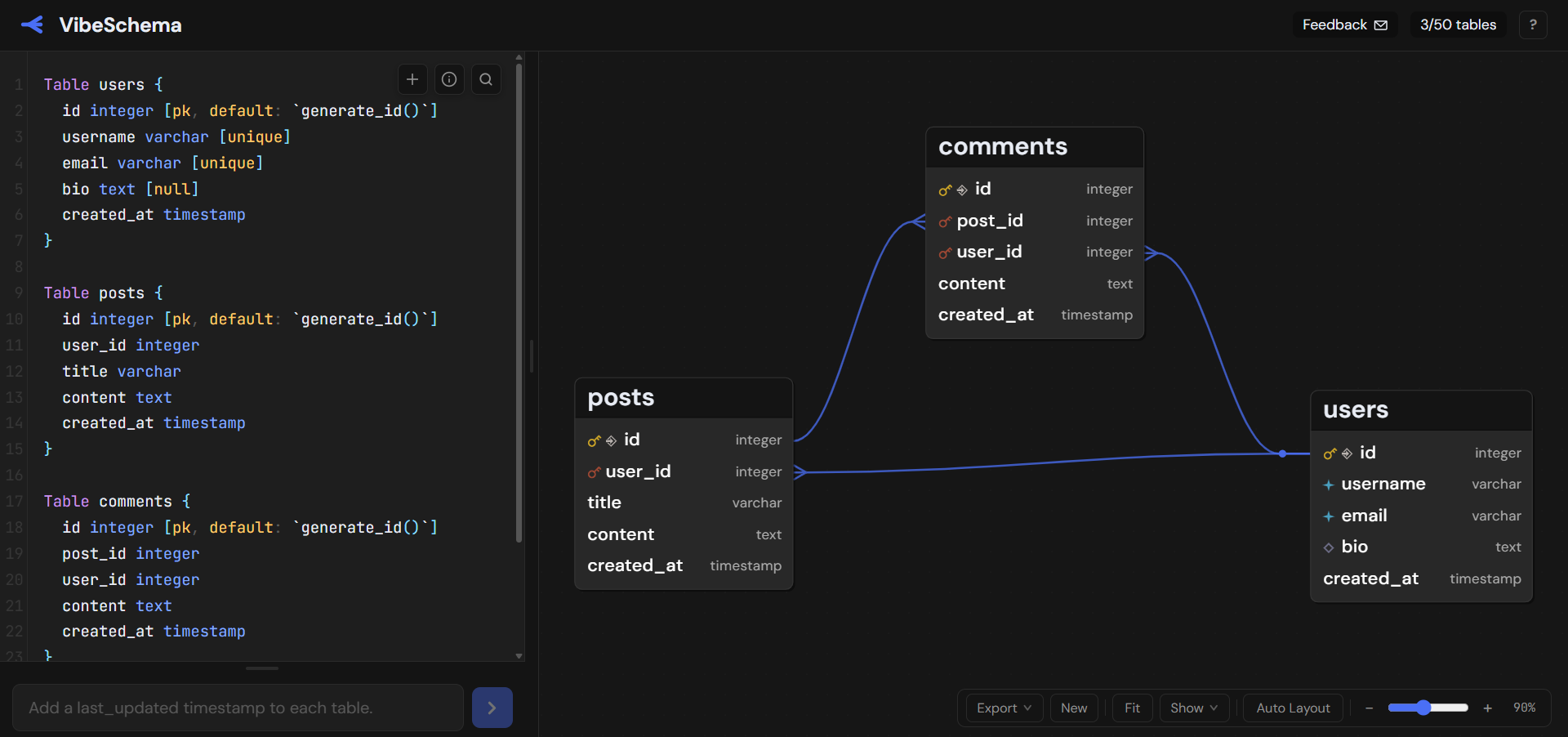
Describe what you want to create or change and the AI immediately updates the DBML schema.
Each AI response shows you exactly what changed, by using colours to indicate changes in your ERD diagram. Additionally, the code panel shows precise line-by-line changes of the underlying DBML.
Prefer to write by hand? The code panel exposes the underlying DBML directly. A built-in search bar makes it easy to navigate large schemas, and clicking any table or enum name in the diagram jumps straight to its definition in code.
New to the syntax? The "+" button drops in ready-made snippets for tables, refs, and enums, and you Tab through the blanks to fill in each name and type. There's also a DBML guide right in the code panel for looking up any piece of the syntax.
VibeSchema supports PostgreSQL and MySQL via DDL or a live database query, converts your schema to DBML, and auto-layouts the diagram. If your schema is already in DBML, paste it directly into the code panel.
Export your schema as a PNG or SVG to drop into a doc, share with a teammate, or include in a README. The export captures the full diagram at high resolution, including all tables and relationships.
To create pictures of diagram changes, take a look at the Diagram Diff Tool.
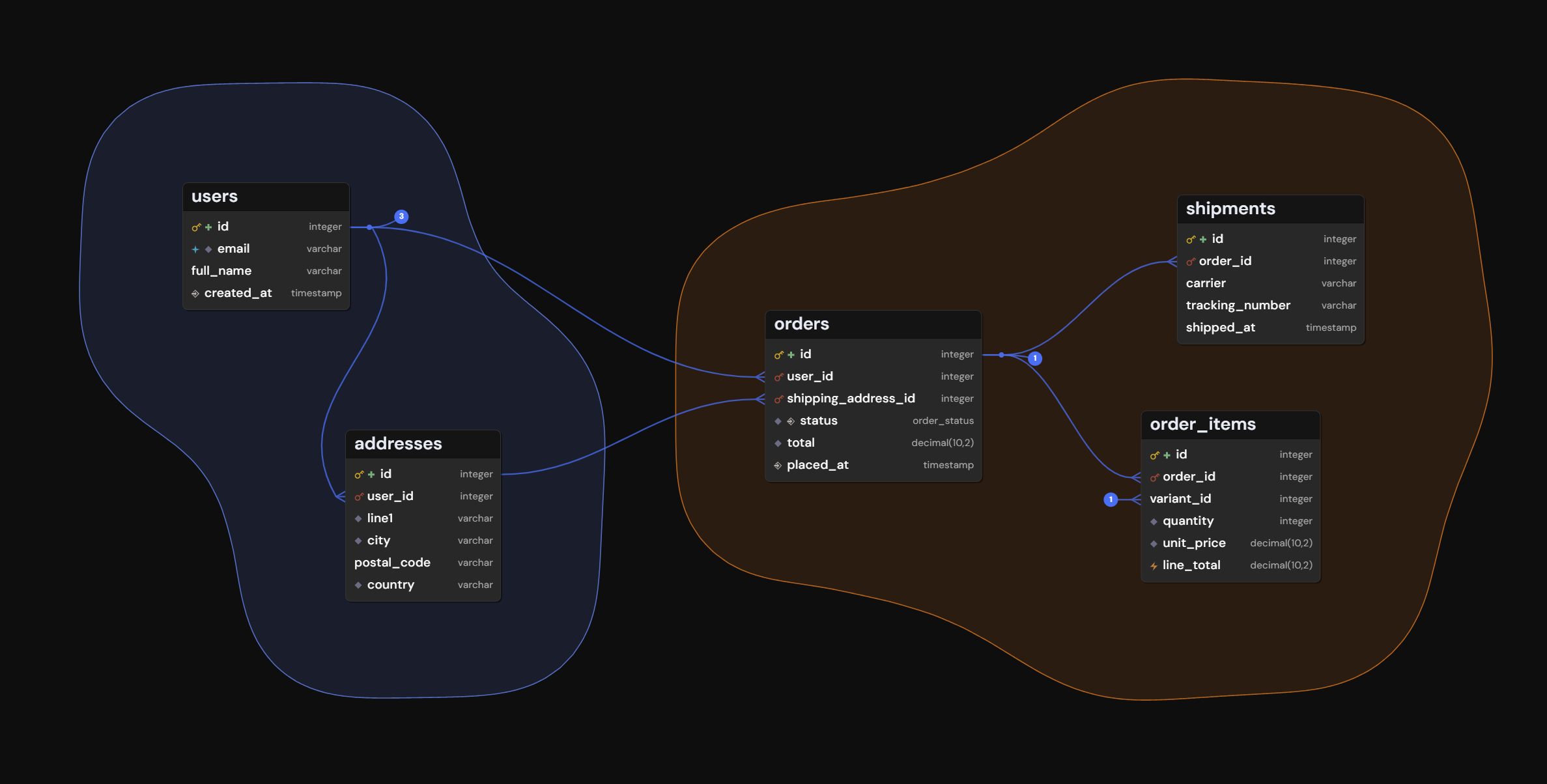
As a schema grows, table groups and views keep the diagram readable. A table group draws a tinted region around related tables, and a view narrows the diagram to a named subset so you can focus on one part at a time.
Both live in the DBML itself, so they travel with your schema. That makes a project easy to share as plain text, and it lets any AI (VibeSchema's or your own) read and modify your groups and views the same way it edits the rest of the schema.
With VibeSchema you can work on database schemas in whichever way best fits your workflow.
The code panel is the heart of it: your schema lives there as DBML, and you can write and edit it directly. A built-in guide explains the syntax, and snippet inserts get tables, refs, and enums down fast.
You can also chat with the built-in AI, which proposes an updated schema you accept or reject. Since it edits the same DBML in the code panel, you can move between writing by hand and using AI at any point.
Your changes are instantly visualized as an ER diagram. New tables and enums are placed with auto-layout, and you can drag them anywhere.
VibeSchema works in DBML (Database Markup Language), an open format designed for database diagrams.
If you have an existing schema in PostgreSQL or MySQL DDL, use the dedicated visualizers to convert it to DBML first.
VibeSchema works well for many use cases, including:
Yes. You can build and edit your whole schema by hand in the code panel, with a syntax guide and snippet inserts to help. AI is one way to work, not a requirement.
Yes, it's free to use. You can design, visualize, and export schemas without an account.
Not sure where to start? Go to the tool to try it out with a sample schema.
Open EditorFree, no sign-up required.